Capabilities

Build exactly what the operation needs.

Six kinds of system. Each one is shown here by a single mechanism that is live in production.

01

Operational software

Web systems for the work only your organisation does, shaped around its roles, handoffs and exceptions.

  • Field and project workflows
  • Internal operations
  • Front desk and request handling
  • Workflow-specific web applications
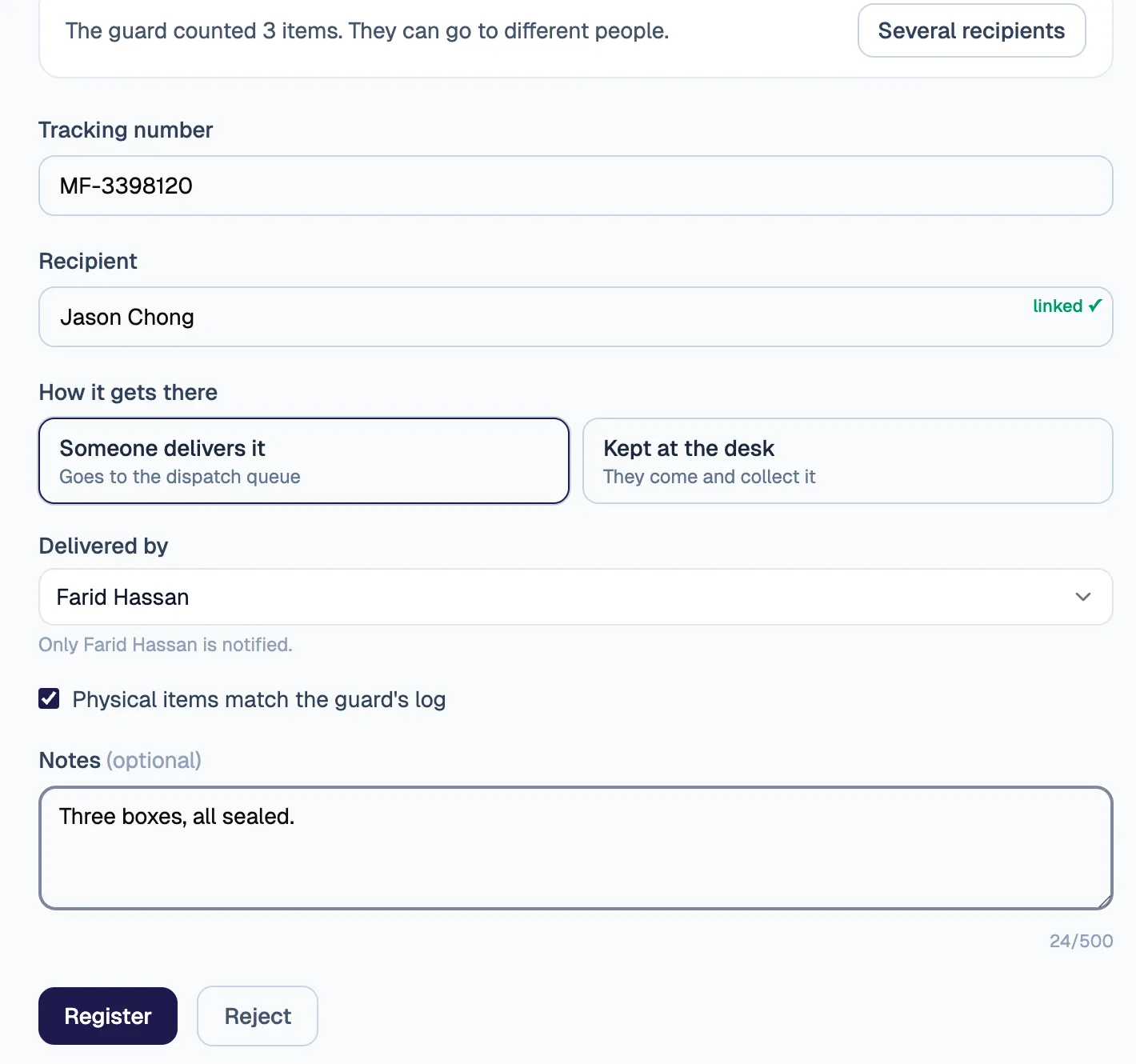
The front desk registering a parcel: the recipient, how it gets there, the usual dispatch assistant preselected, and a tick that the items match the guard’s log.
The mechanism · fictional dataAt the front desk: who an item is for, who delivers it, and a check against what the guard counted at the gate.

02

Mobile and offline systems

Phone apps for people away from a desk, built to keep working where there is no signal.
  • Mobile and offline-capable applications
  • Photo, GPS and barcode capture
  • Apple App Store and Google Play releases
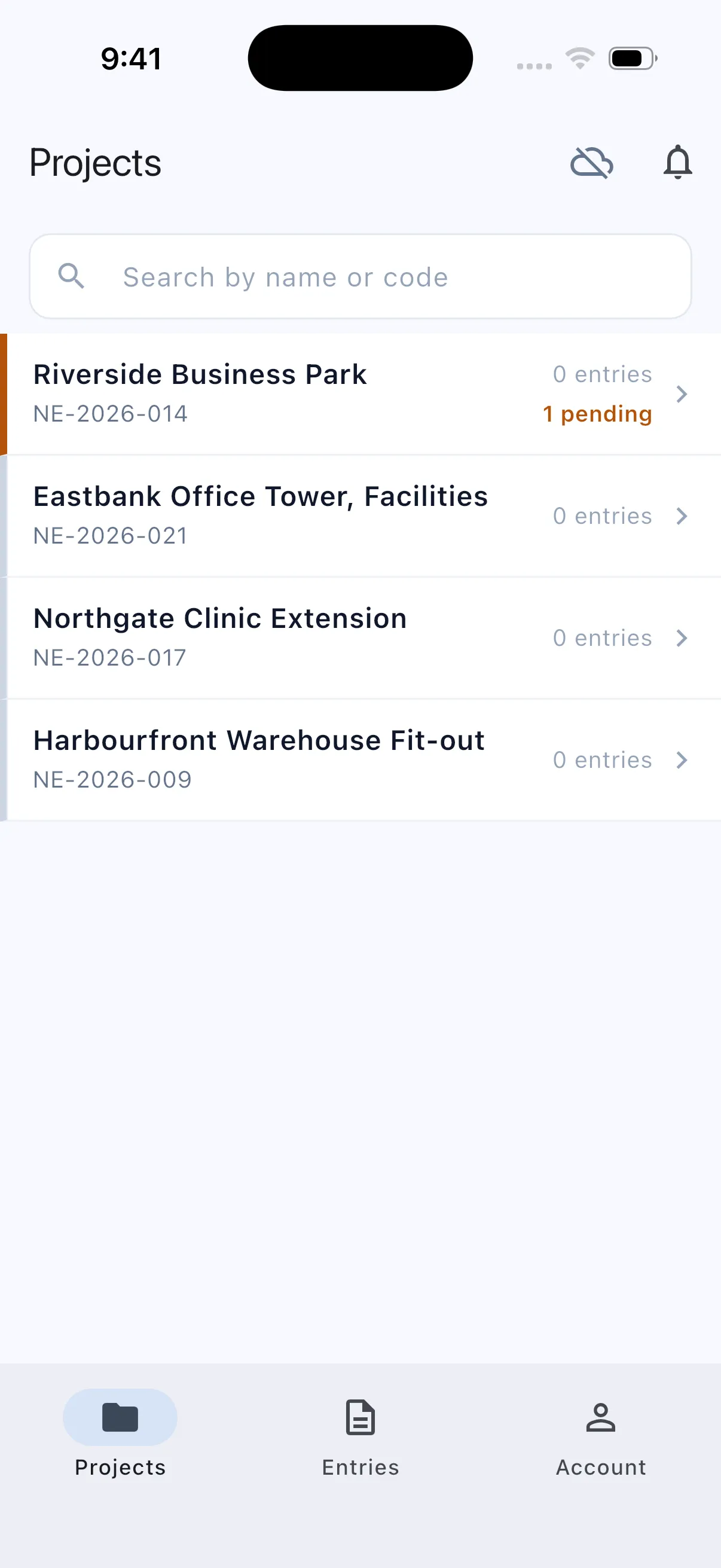
A phone with no signal: the project list shows one record pending, saved on the device.
The mechanism · fictional dataNo signal: the record waits on the phone as pending, then syncs with its photos when signal returns.

03

Workflow automation

Checks, approvals and notifications that run on the system, not on reminders.
  • Approvals and routing
  • Notifications and handoffs
  • Printed forms and purchase orders
  • Audit history and status tracking
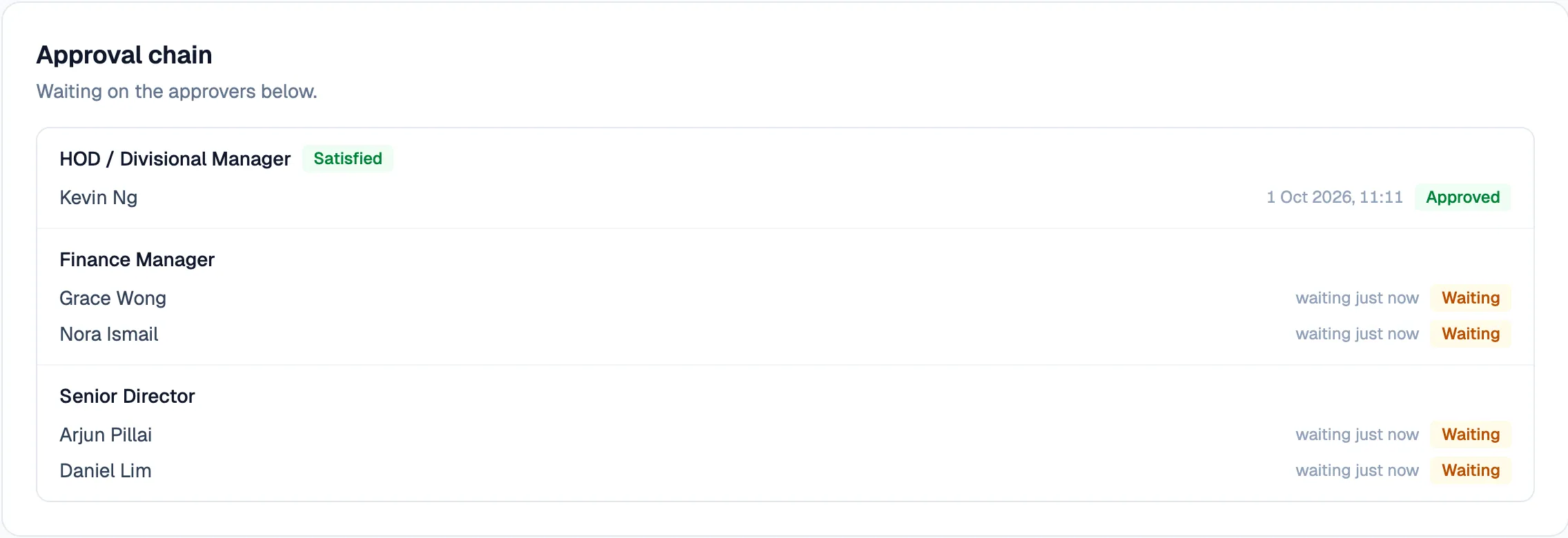
An approval chain waiting on its approvers, each role listed with who holds it.
The mechanism · fictional dataThe approvers a request needs, worked out from its total and type, all asked at once.

04

Intelligent and document workflows

Intelligence applied once the work is structured, with a person checking anything that matters.
  • Document understanding
  • Structured data extraction
  • Natural-language actions
  • Human-reviewed AI proposals
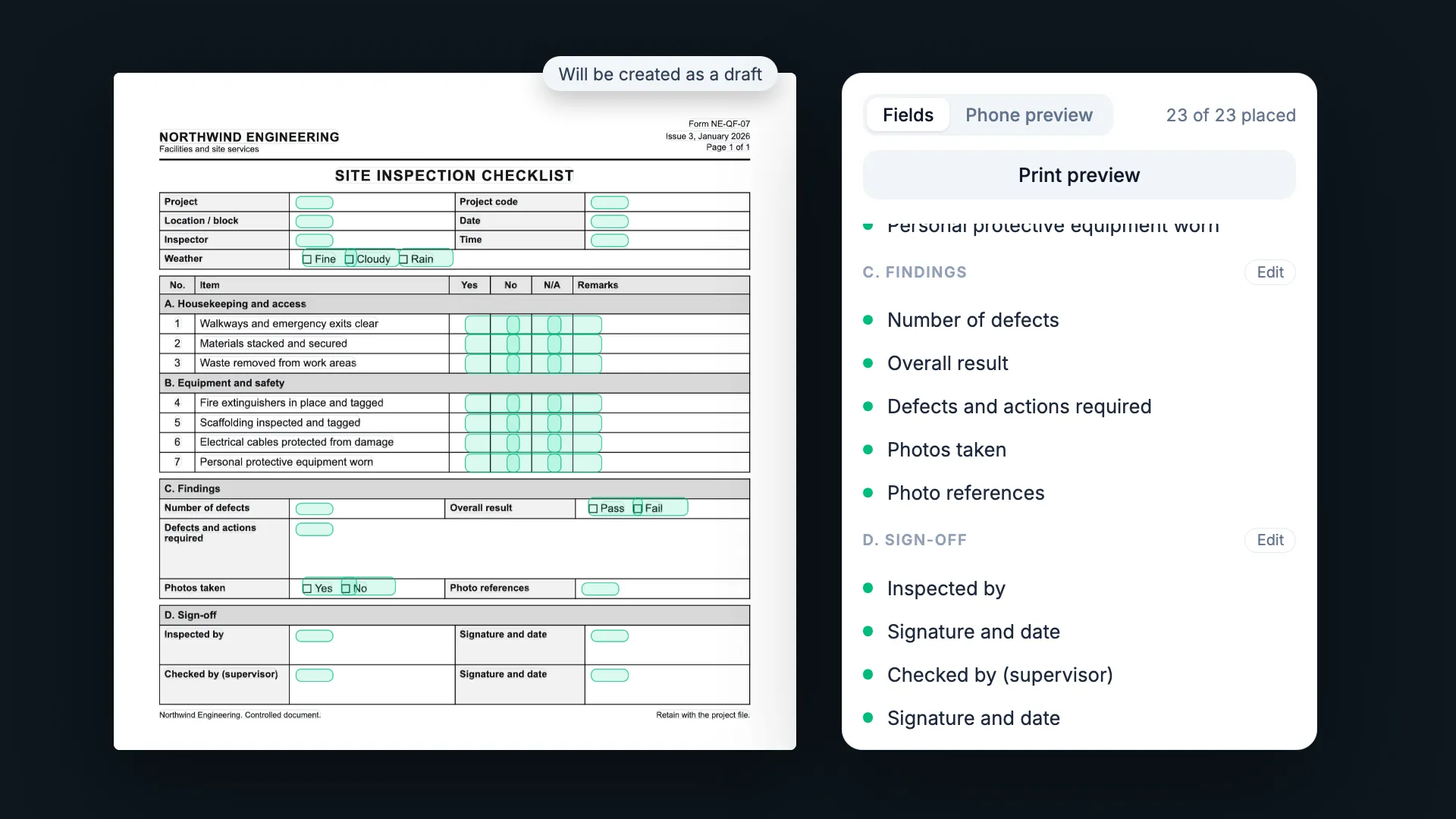
The builder after import: the original form with each field’s answer box marked, the field list reading 23 of 23 placed, marked as a draft.
The mechanism · fictional dataA blank paper form read into a template: its answers mapped to their boxes, test-printed, and opened as a draft for a person to check.

05

Permissions and controls

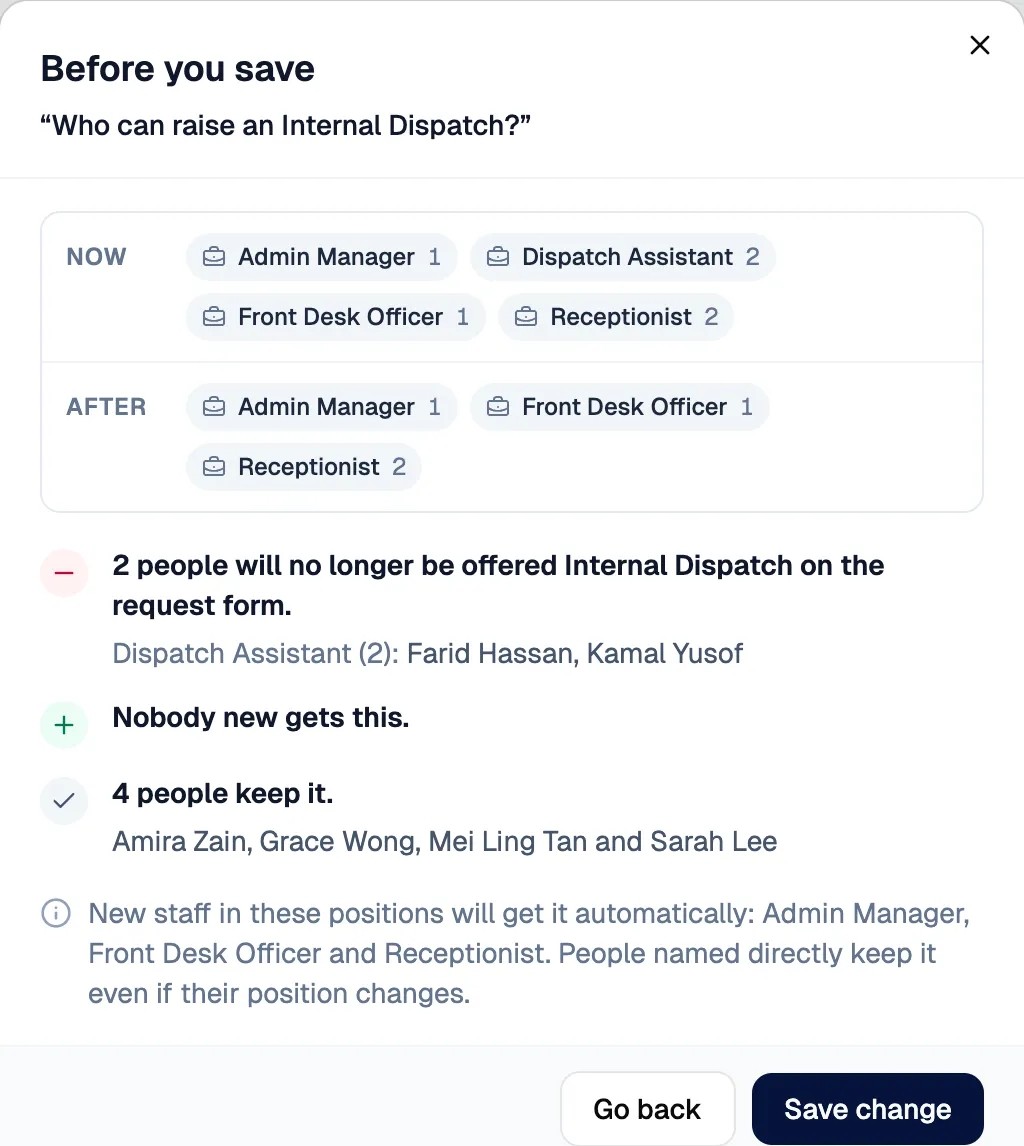
Access by position, visible to the people who look after each application, with a preview before anything changes.
  • Identity, roles and permissions
  • Impact preview before saving
  • Access history and undo
  • Changes by request, confirmed by a person
The impact dialog before a permission change is saved: now and after, two people would lose access, nobody new gains it, four keep it.
The mechanism · fictional dataBefore saving: who loses access, who gains it, and who keeps it.

06

Integrations and reporting

Records that leave the system in the formats people already use, and a clear view of where the work stands.
  • APIs and existing systems
  • Data migration
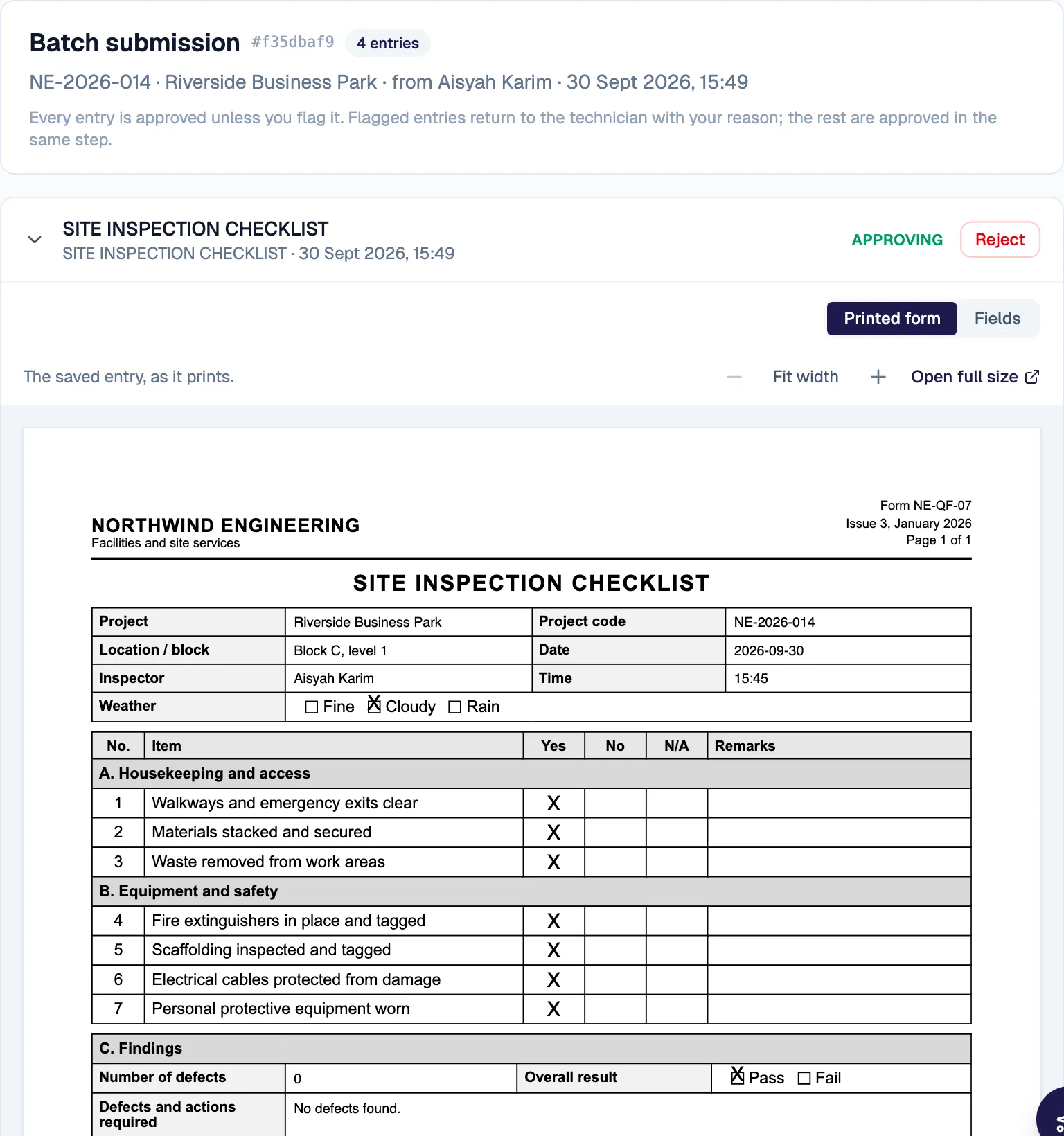
  • Reporting and operational visibility
  • Exports in your own document formats
A submitted inspection record drawn as its printed paper form, with the answers in the original boxes.
The mechanism · fictional dataA submitted record shown, checked and exported as the printed paper form it replaced.

Where we fit.

Good fit

  • An important internal workflow is manual or fragmented
  • Off-the-shelf software forces compromises
  • Several teams and handoffs need one system
  • Internal IT needs an embedded build partner

Probably not a fit

  • A commodity brochure website
  • A simple off-the-shelf app with no custom workflow requirement

Start with one workflow.

Tell us which process you would fix first. We reply within 48 hours.

We reply within 48 hours.

WhatsApp
+60 17-783 8848 (opens in a new tab)
Email
hello@galavate.com
Based in
Kuching, Sarawak, Malaysia