Galavate Technologies · Malaysia

The art of applying intelligence to business workflows.

We study how your business works, then build software around it from the ground up. We simplify, optimise and automate the workflows behind your operations.

In production

Built for real operations.

Software used by real teams, across real projects, with the operational detail that comes with them.

people in the organisation that runs its daily field operations on the system
800
One engineering consultancy
projects with records on the system
60+
document types digitised
20

The value compounds when the relationship continues.

One workflow can become the foundation for the next.

We stay close enough to learn the details that rarely make it into a requirements document. That context carries forward, so each new system starts with a better understanding of the business.

  1. 01 · Capture

    Turn existing forms and field work into structured records without losing the way people already work.

  2. 02 · Control

    Add review, approvals, access rules and audit history around the work.

  3. 03 · Move

    Connect the handoffs between people: arrivals, dispatch, purchasing, bookings and internal requests.

  4. 04 · Intelligence

    Once the workflow is structured, intelligence can help interpret, propose and automate without removing human control.

01 · Capture
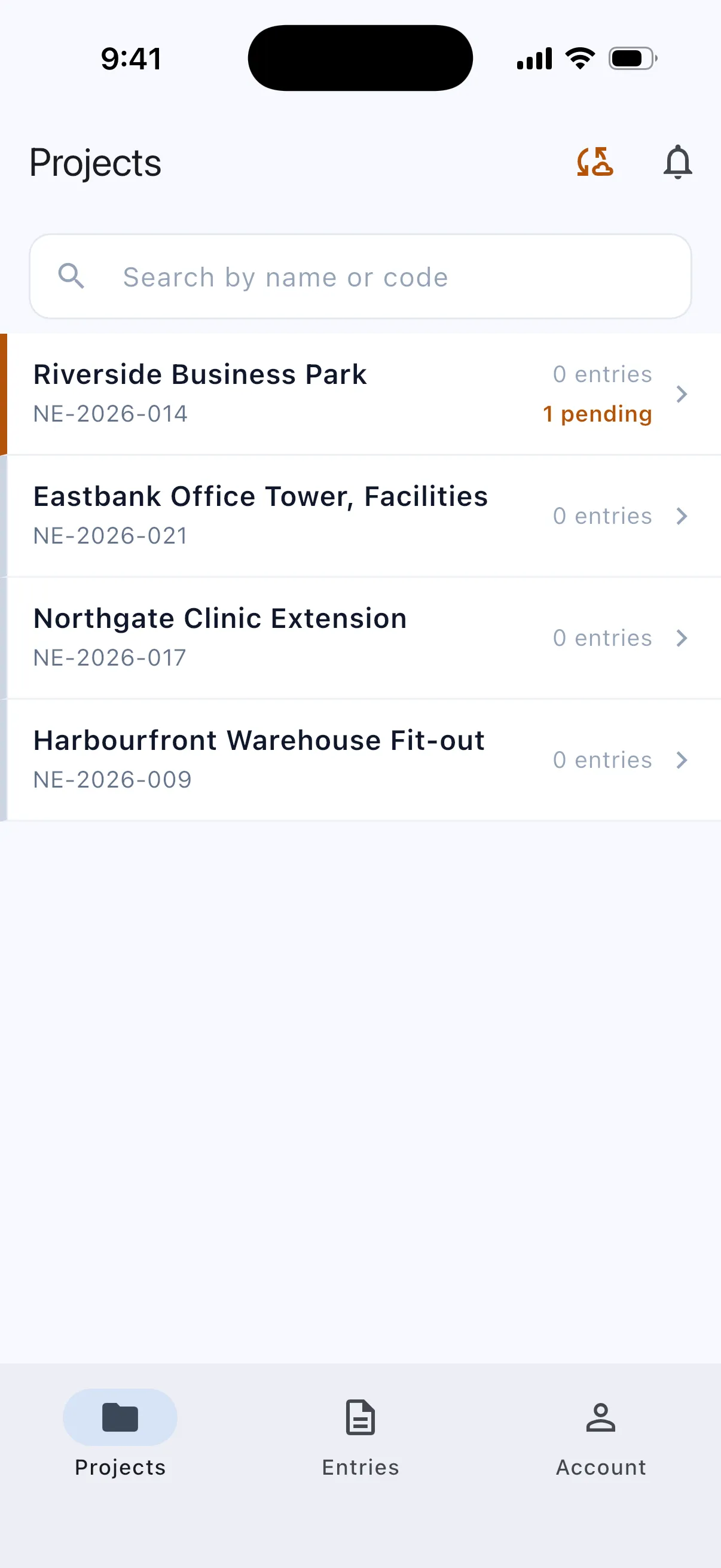
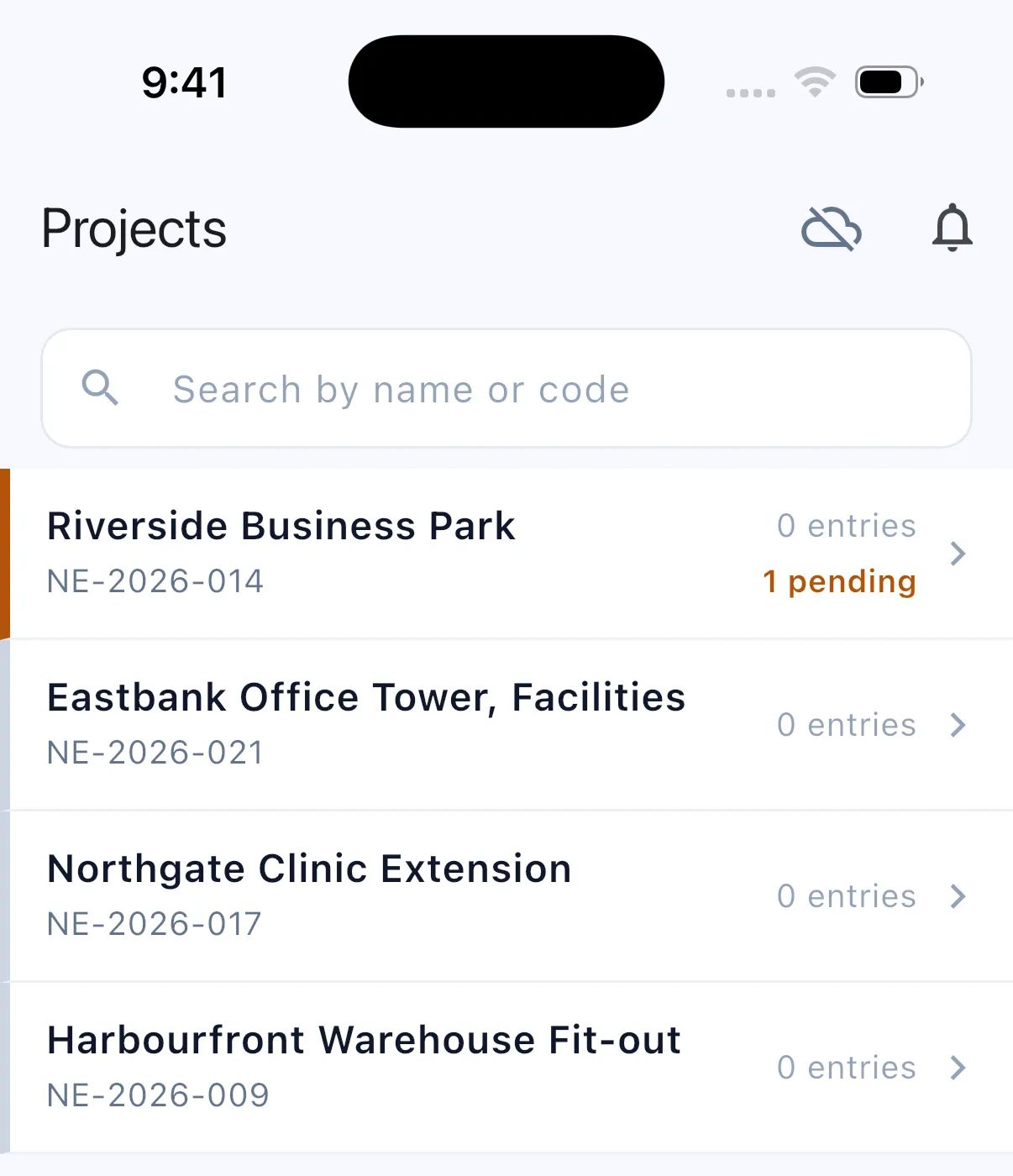
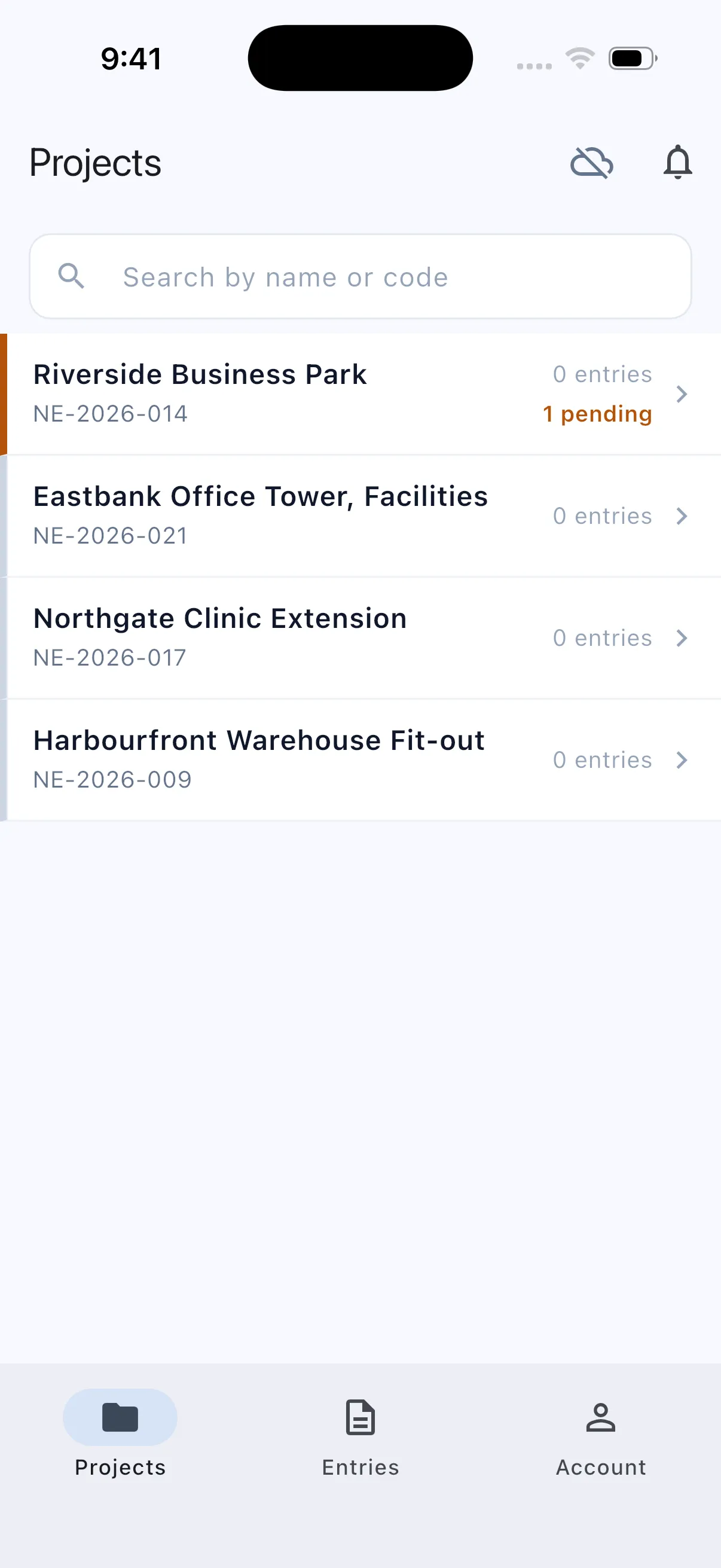
A phone with no signal: one record pending, saved on the phone.
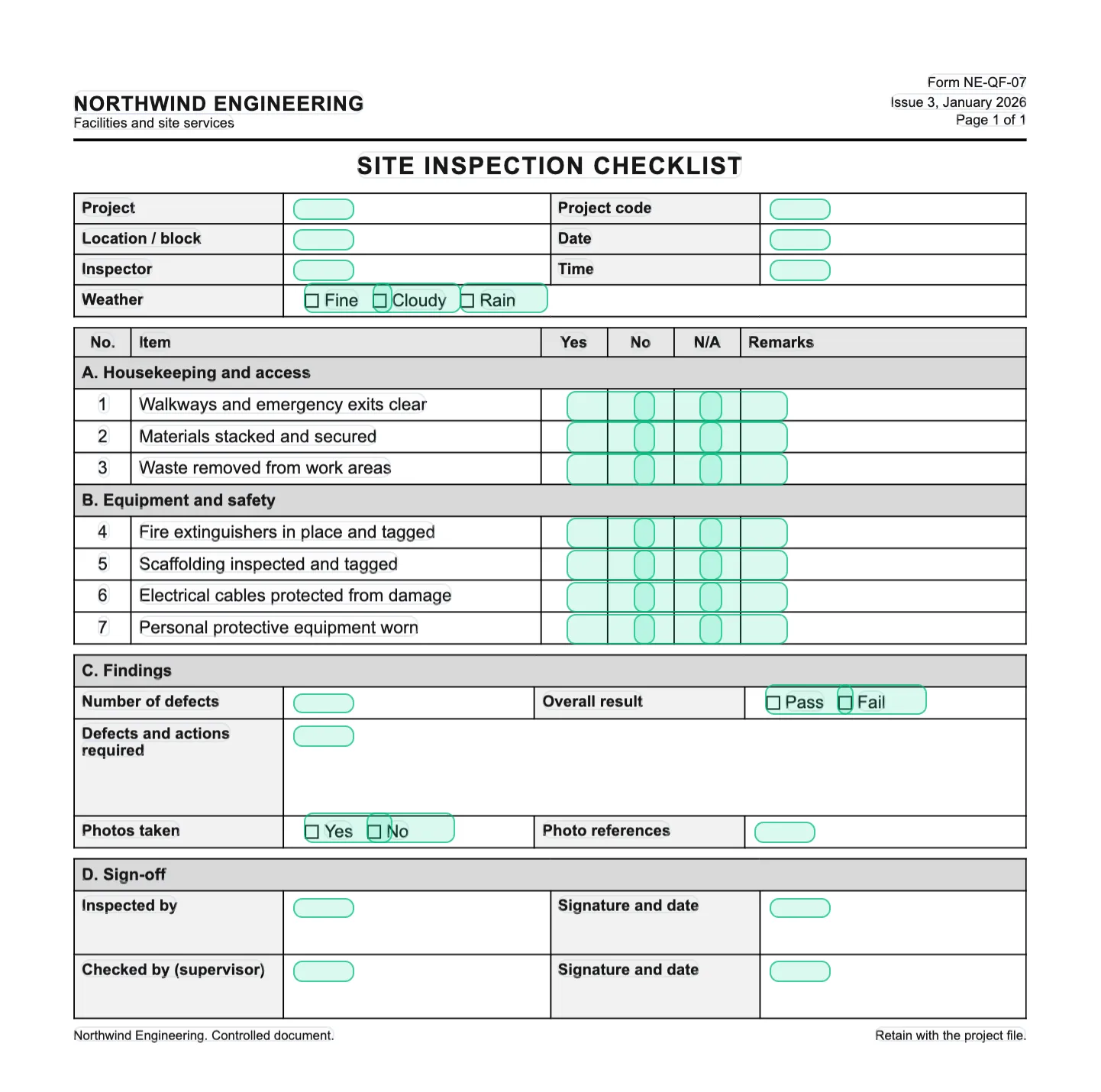
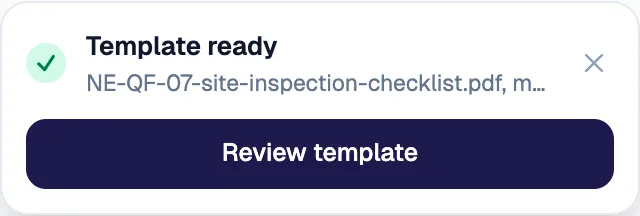
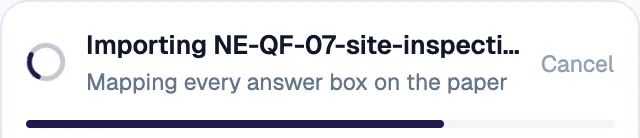
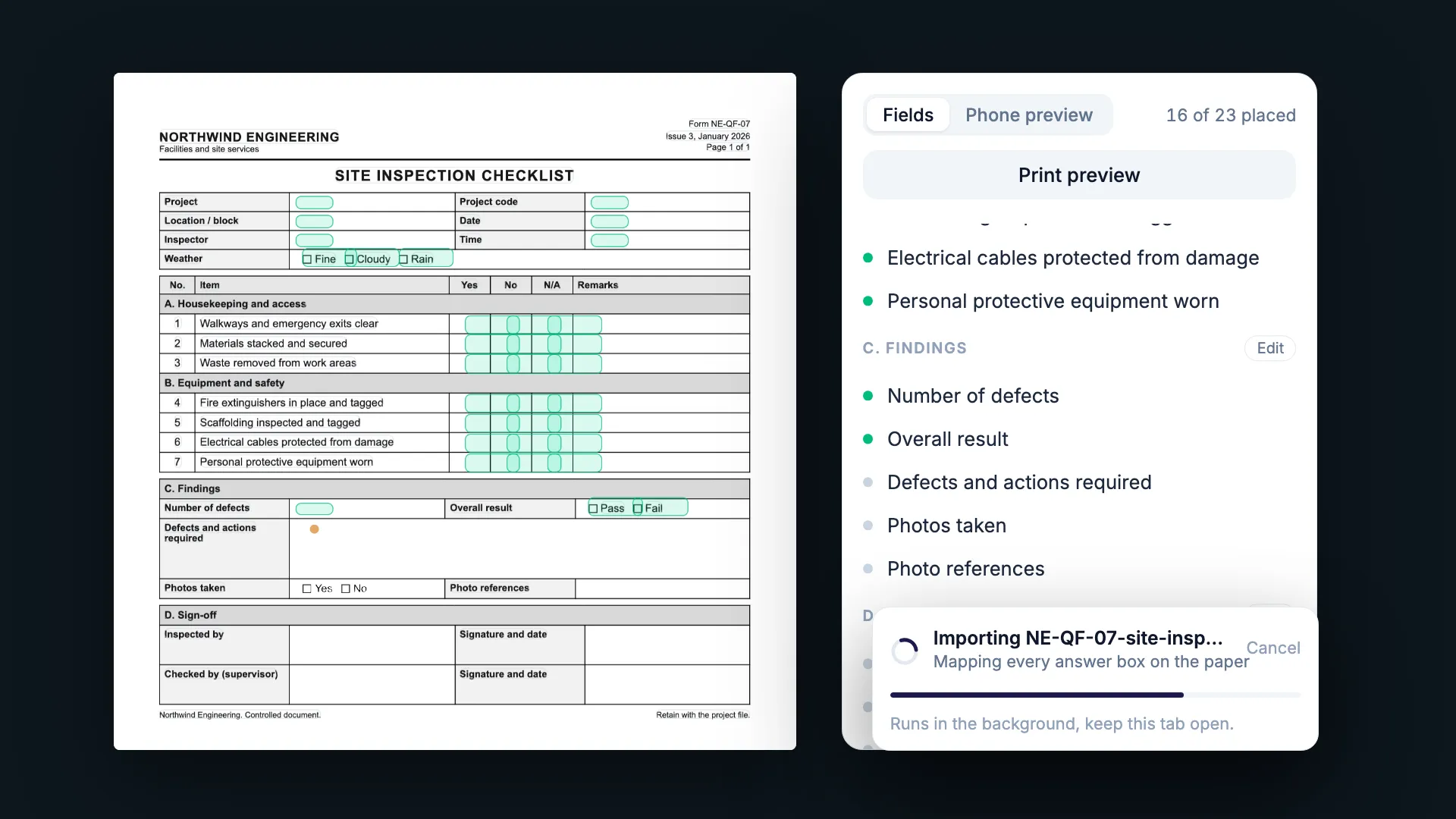
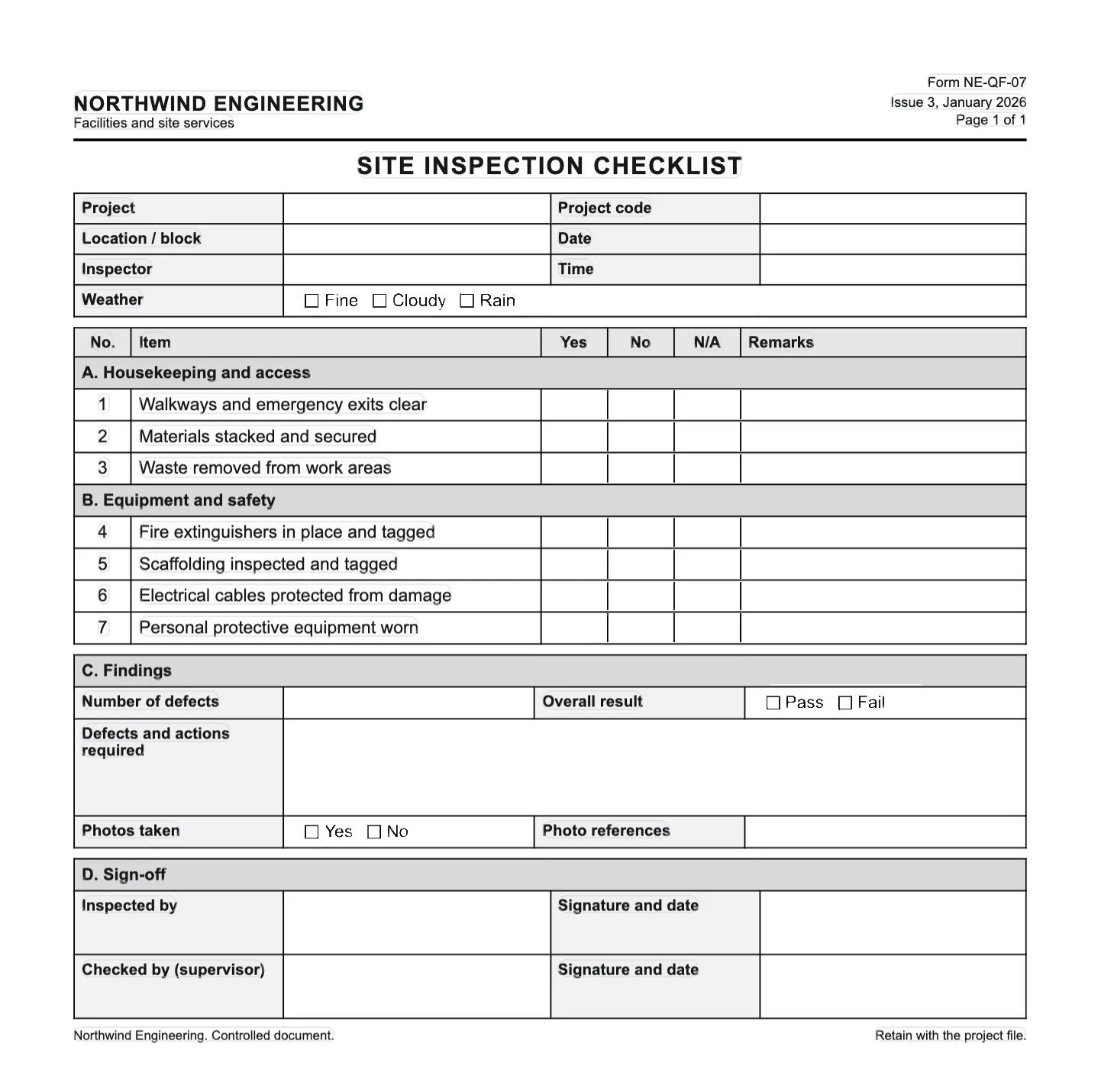
An existing PDF form being imported: mapping every answer box on the paper.
02 · Control
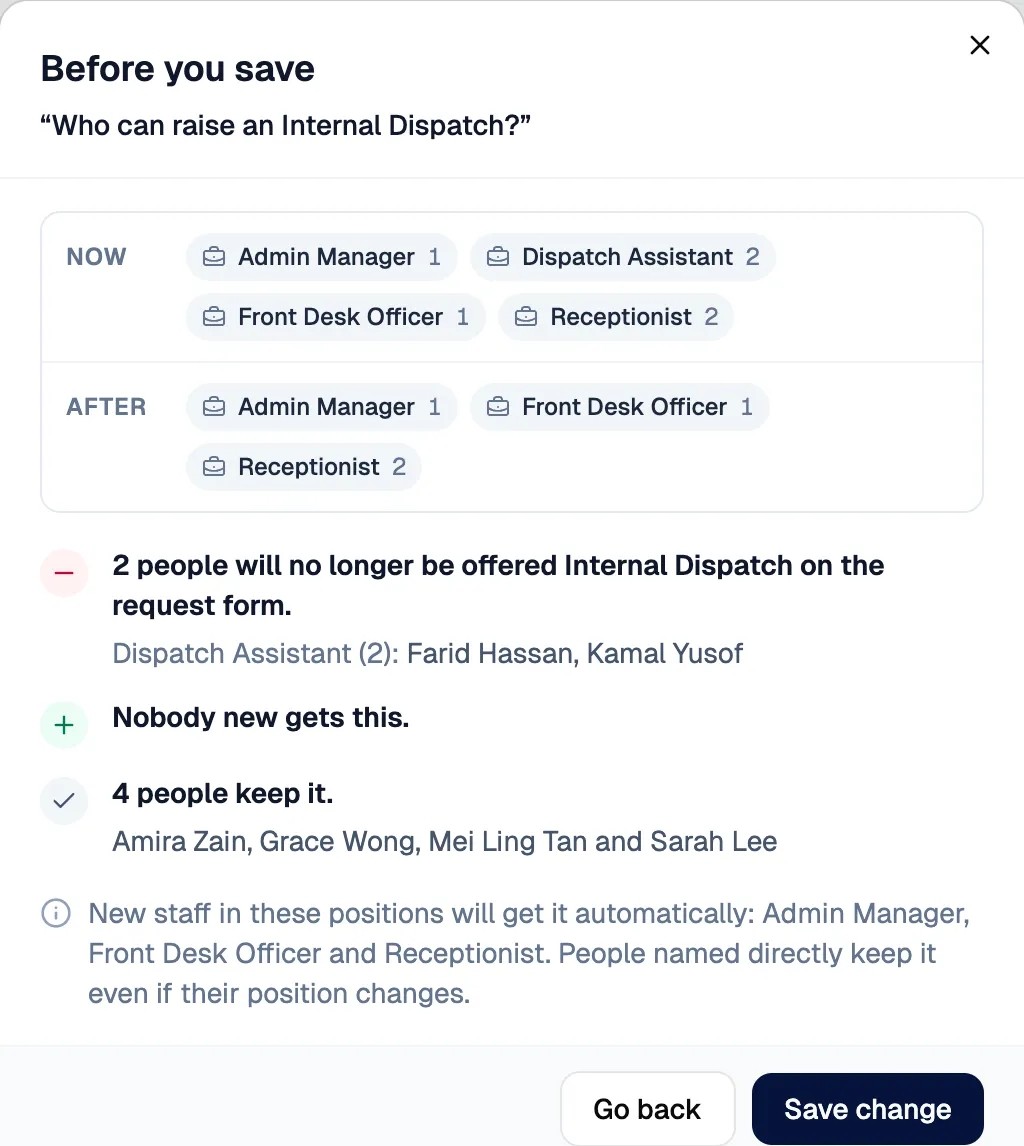
Before an access change is saved: who loses it, who gains it, who keeps it.
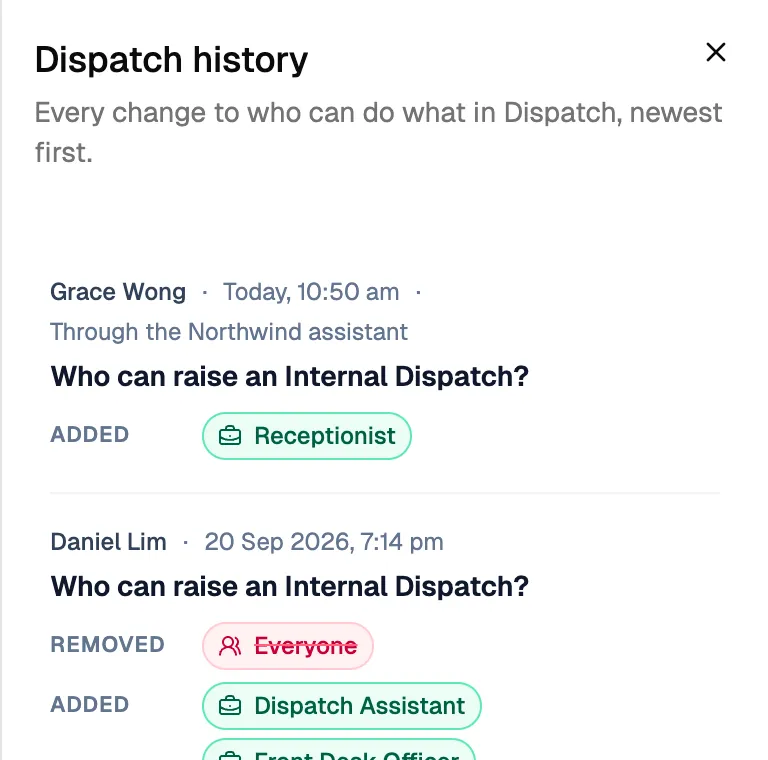
The access history: each change, who made it and how.
03 · Move
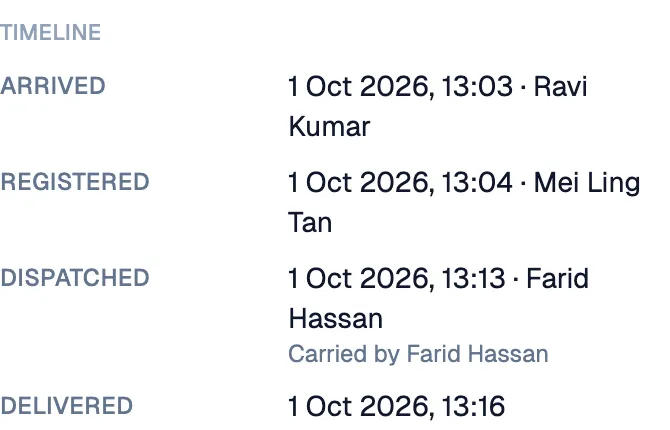
A parcel’s timeline: arrived, registered, dispatched, delivered, each with a time and a person.
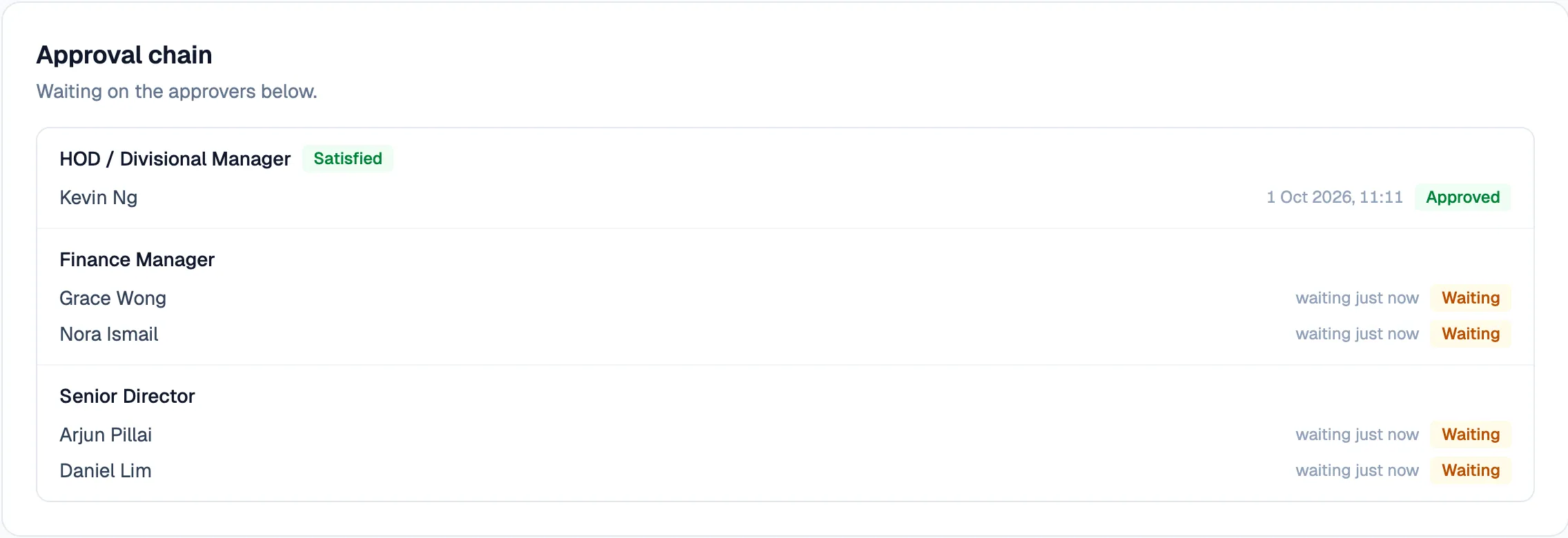
An approval chain: every required role asked at once, each marked as it is satisfied.
04 · Intelligence
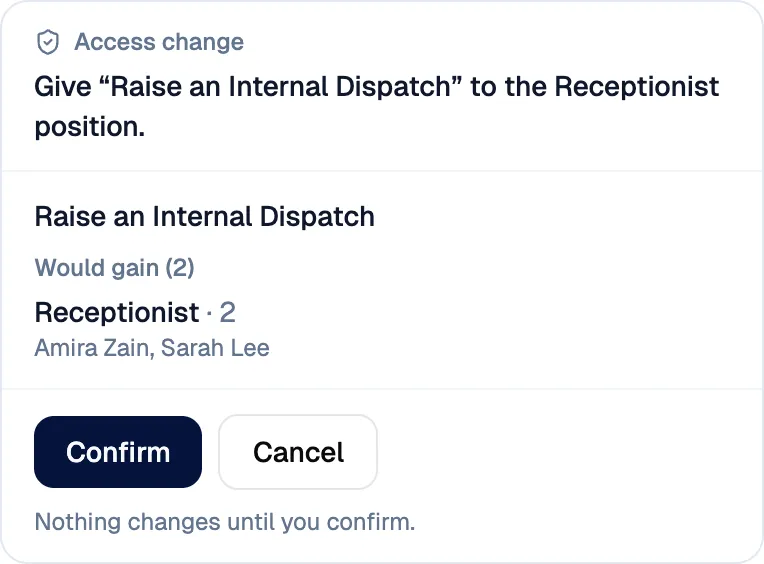
The assistant’s proposed access change, with Confirm and Cancel. Nothing changes until someone confirms.
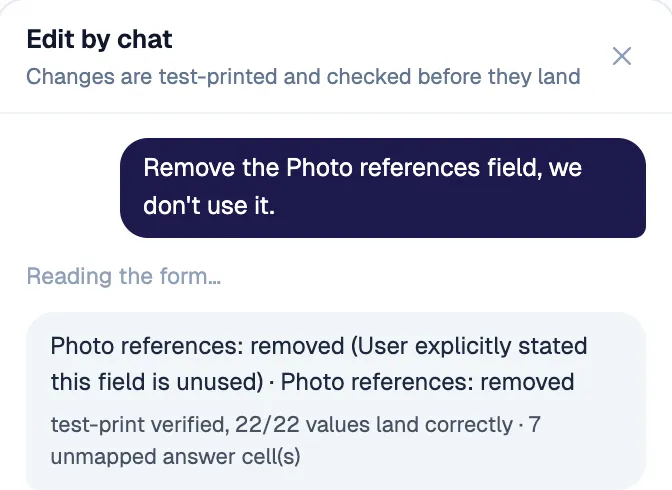
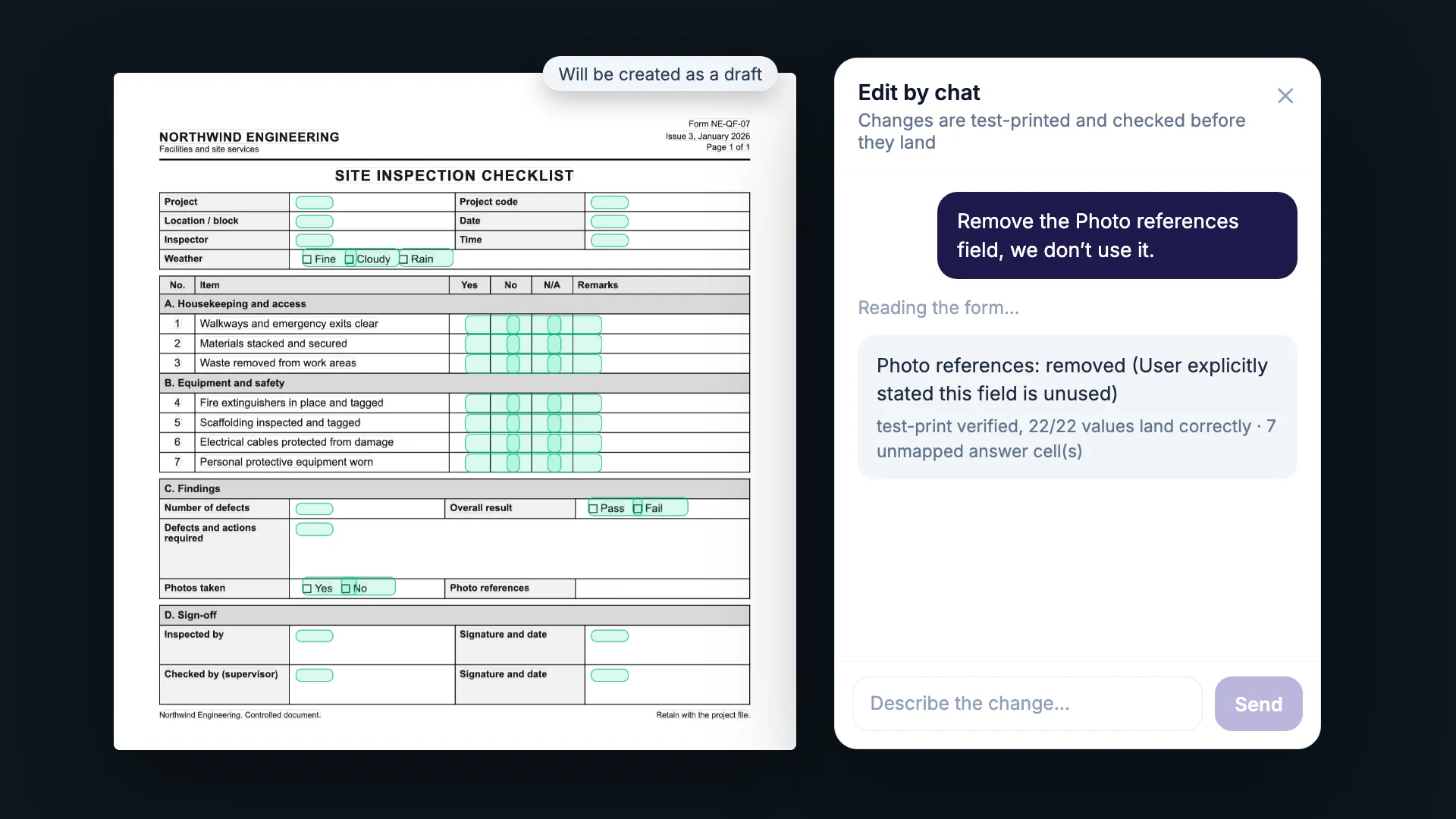
A form changed by a typed instruction, then test-printed: 22 of 22 values land correctly.
  1. 01 · Capture

    Turn existing forms and field work into structured records without losing the way people already work.

    A phone with no signal: one record pending, saved on the phone.
  2. 02 · Control

    Add review, approvals, access rules and audit history around the work.

    Before an access change is saved: who loses it, who gains it, who keeps it.
  3. 03 · Move

    Connect the handoffs between people: arrivals, dispatch, purchasing, bookings and internal requests.

    A parcel’s timeline: arrived, registered, dispatched, delivered, each with a time and a person.
  4. 04 · Intelligence

    Once the workflow is structured, intelligence can help interpret, propose and automate without removing human control.

    The assistant’s proposed access change, with Confirm and Cancel. Nothing changes until someone confirms.

Software should fit the business. The business shouldn’t have to fit the software.

Many systems start with a product and ask the organisation to adapt. We start with the people, the workflow, the exceptions and the existing tools, then build around what the business actually needs.

Configure the business around the product: six steps forced into a fixed product. The route folds at its walls and the first and last steps are squashed against them; the natural route runs wider, ghosted behind.Fixed productRequestCheckRe-typeApproveFileReportFixed productRequestCheckRe-typeApproveFileReport
Configure the business around the product
Build the system around the workflow: the same workflow with the unnecessary re-typing step removed. Request, check, approve, file and report run on one straight route, with the system outline drawn around them.Re-typeRemovedThe system, built around the routeRequestCheckApproveFileReportRe-typeRemovedRequestCheckApproveFileReportThe system, built around the route
Build the system around the workflow

From existing process to working system

Start with the form you already use.

Drop in an existing PDF. The system identifies its structure, builds the digital fields, maps them back to the paper layout and lets you review the result on web, phone and print. Changes can then be made with an instruction and checked before they land.

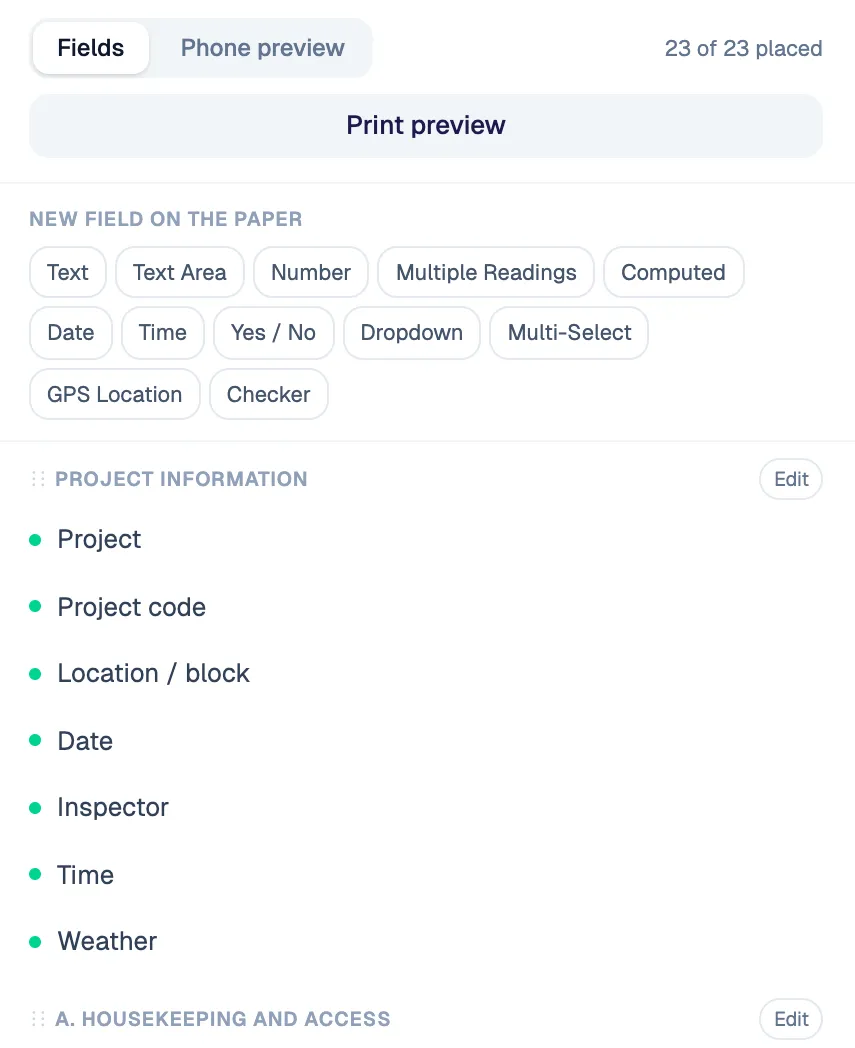
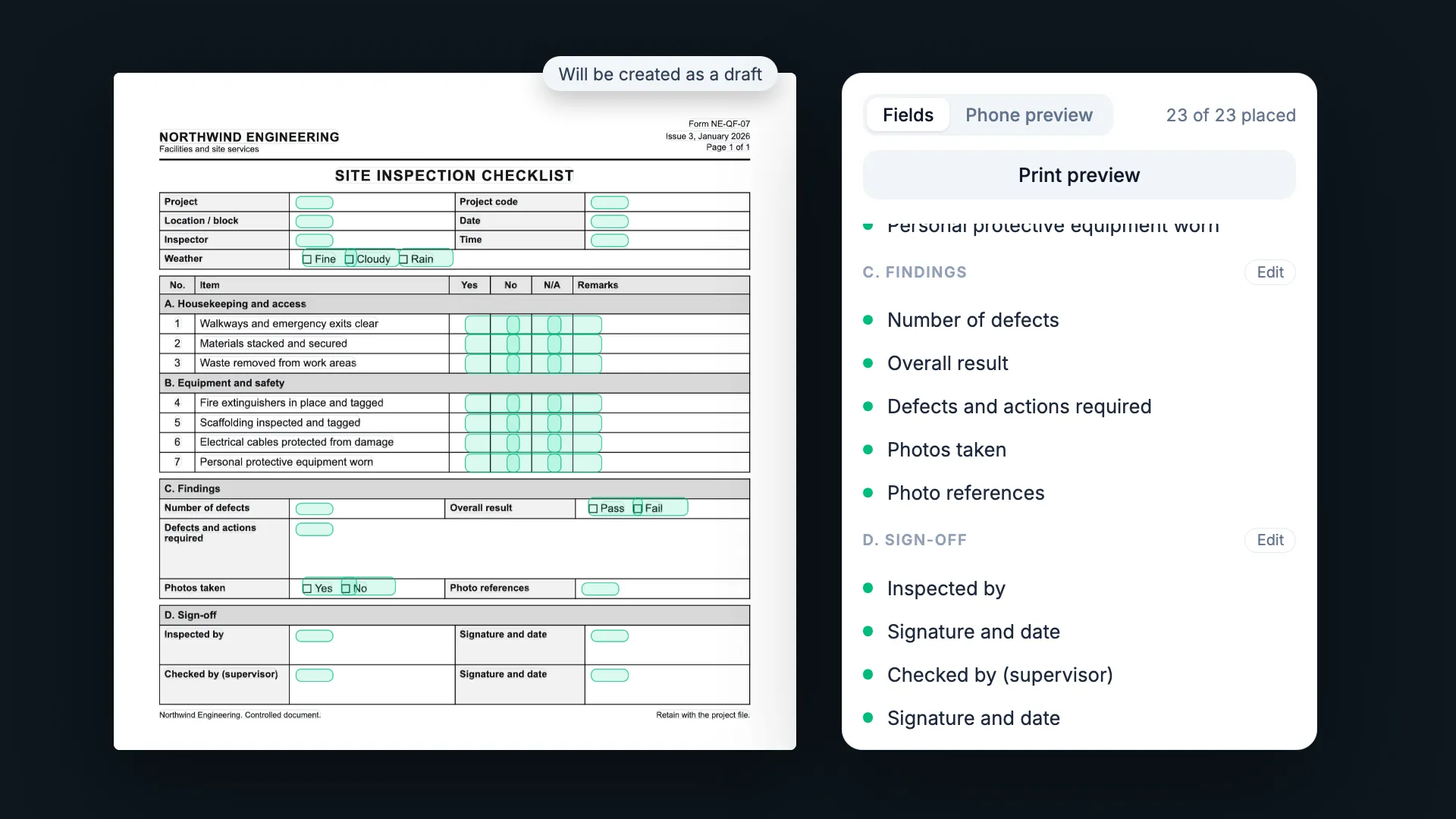
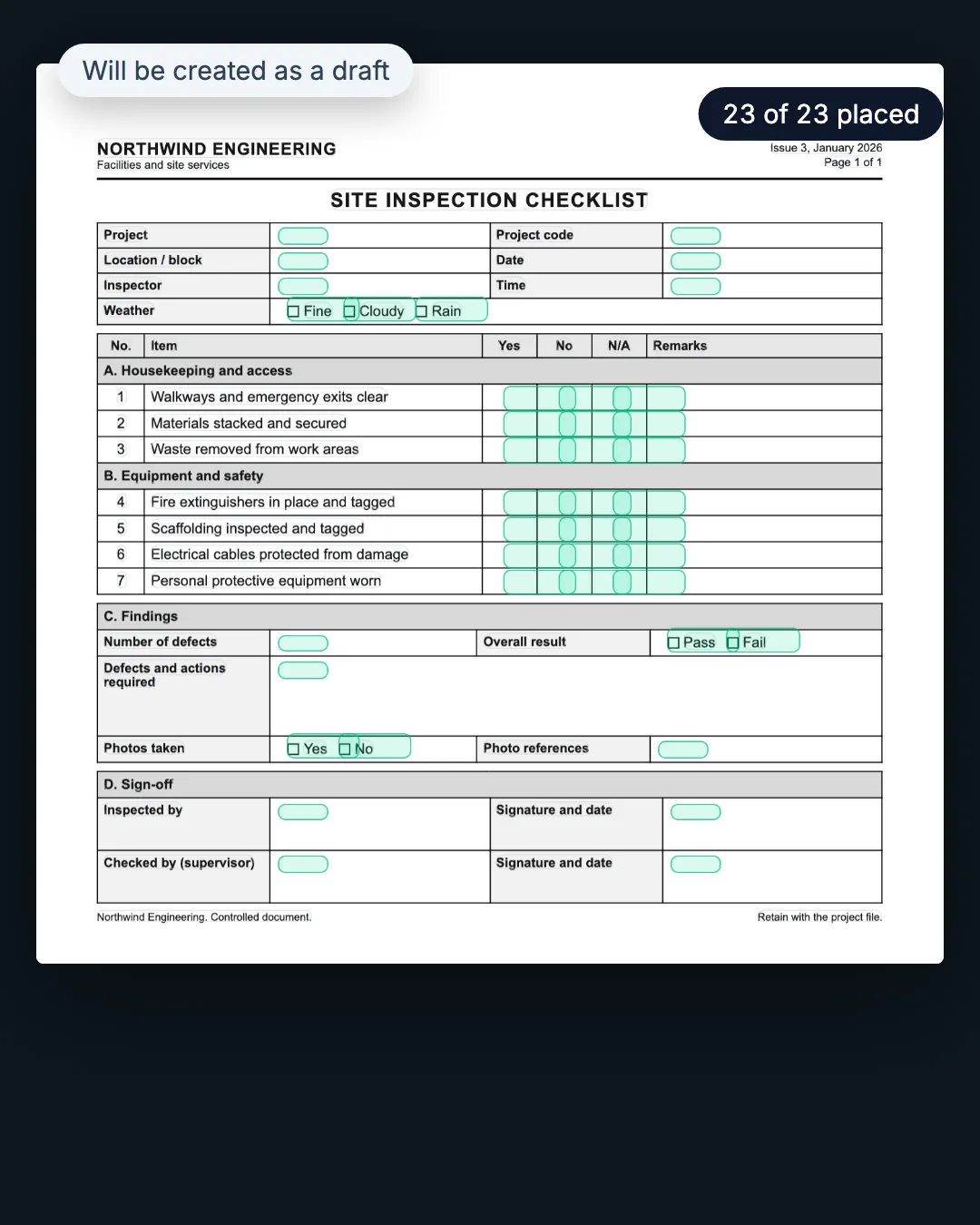
The imported form in the builder, 23 of 23 fields placed, as a draft.
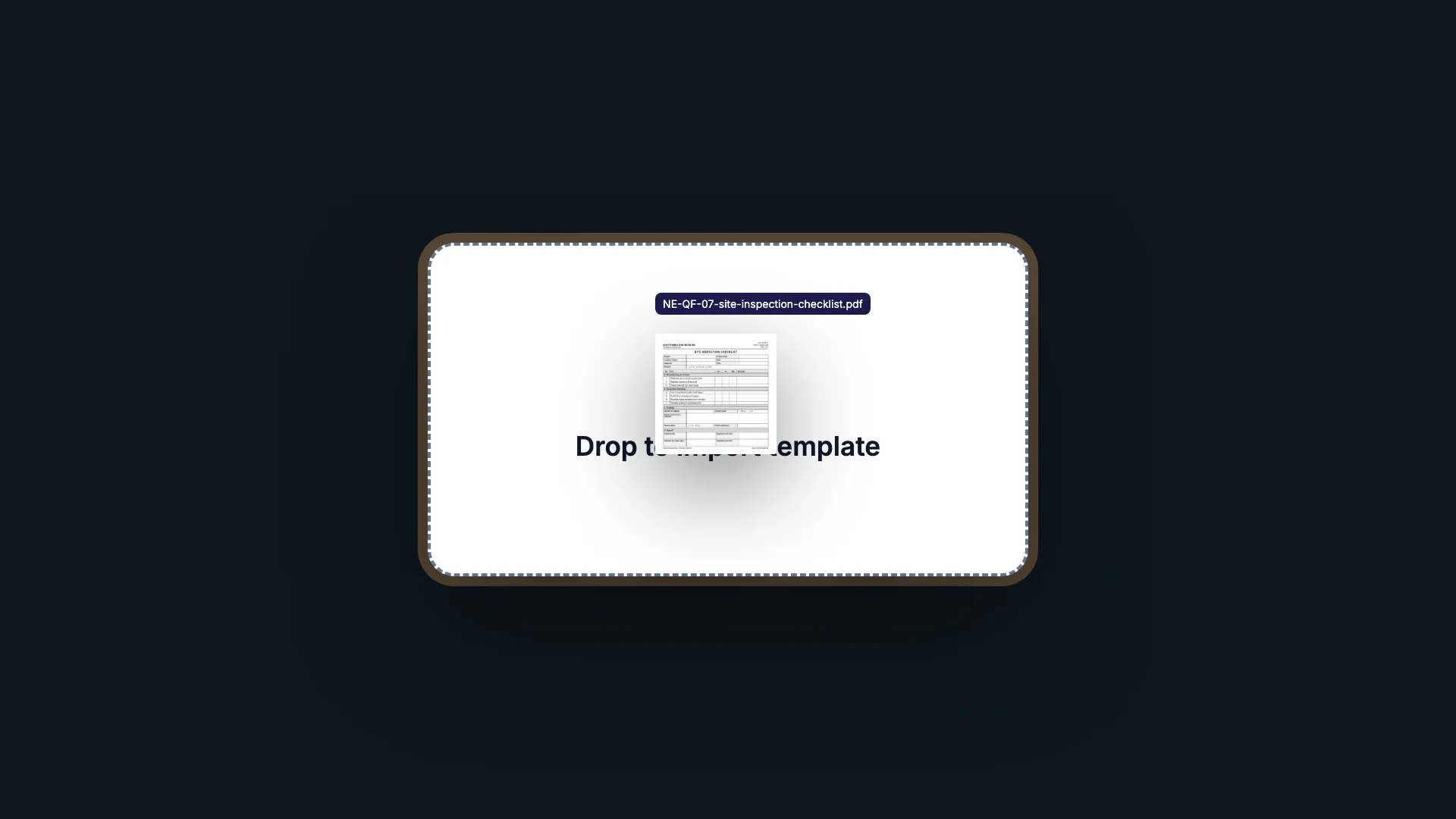
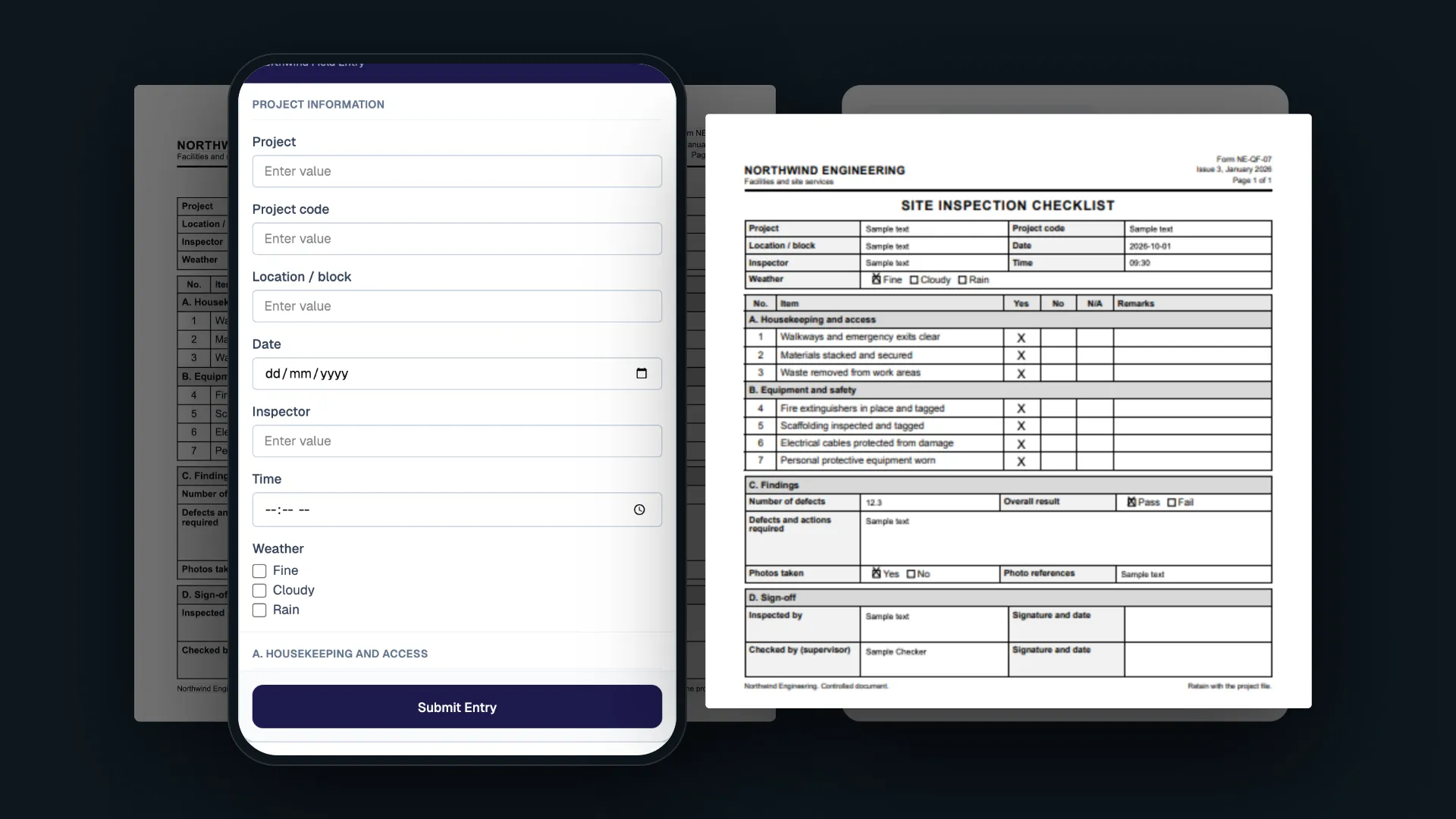
A blank PDF form is dropped onto the templates page. The import reads it in seven phases: it finds the sections, assigns the fields, maps every answer box on the paper and test-prints sample values into each box. The template opens as a draft with 23 of 23 fields placed, then shows as the phone form and as the printed paper. Finally one typed instruction removes a field, and the test print confirms 22 of 22 values land correctly.

Fictional data · real product workflow, illustrated · waits shortened

The imported form with each field’s answer box marked, 23 of 23 placed, opened as a draft.
A blank PDF form is dropped onto the templates page. The import reads it in seven phases: it finds the sections, assigns the fields, maps every answer box on the paper and test-prints sample values into each box. The template opens as a draft with 23 of 23 fields placed, then shows as the phone form and as the printed paper. Finally one typed instruction removes a field, and the test print confirms 22 of 22 values land correctly.
  1. 01Drop in the PDFDrop to import template
  2. 02Structure readSections, fields, their answer boxes
  3. 03Fields placed23 of 23 placed
  4. 04Phone and printSame template, both outputs
  5. 05Changed by instructionTest-print verified

Fictional data · real product workflow, illustrated · waits shortened

How we work

Improve the process before automating it.

Every system starts with time beside the people doing the work, and keeps changing after it ships.

  1. 01

    Learn the work

    Sit with the people doing the job. Understand what happens, what goes wrong and what never makes it into the process document.

  2. 02

    Challenge the workflow

    Remove unnecessary steps and simplify the handoffs before turning them into software.

  3. 03

    Build from the ground up

    Design around the real requirements, roles and exceptions instead of forcing them into a generic product.

  4. 04

    Put it in people’s hands

    Ship usable software early enough that feedback comes from real work, not hypothetical workshops.

  5. 05

    Keep improving

    Stay close to users, watch where friction remains and continuously refine the system.

Selected systems

Intelligence shows up in the details.

Fictional data · the product’s own screens and states, captured or recreated

Six workflows in full

01Offline field capture

No signal shouldn’t stop the work.

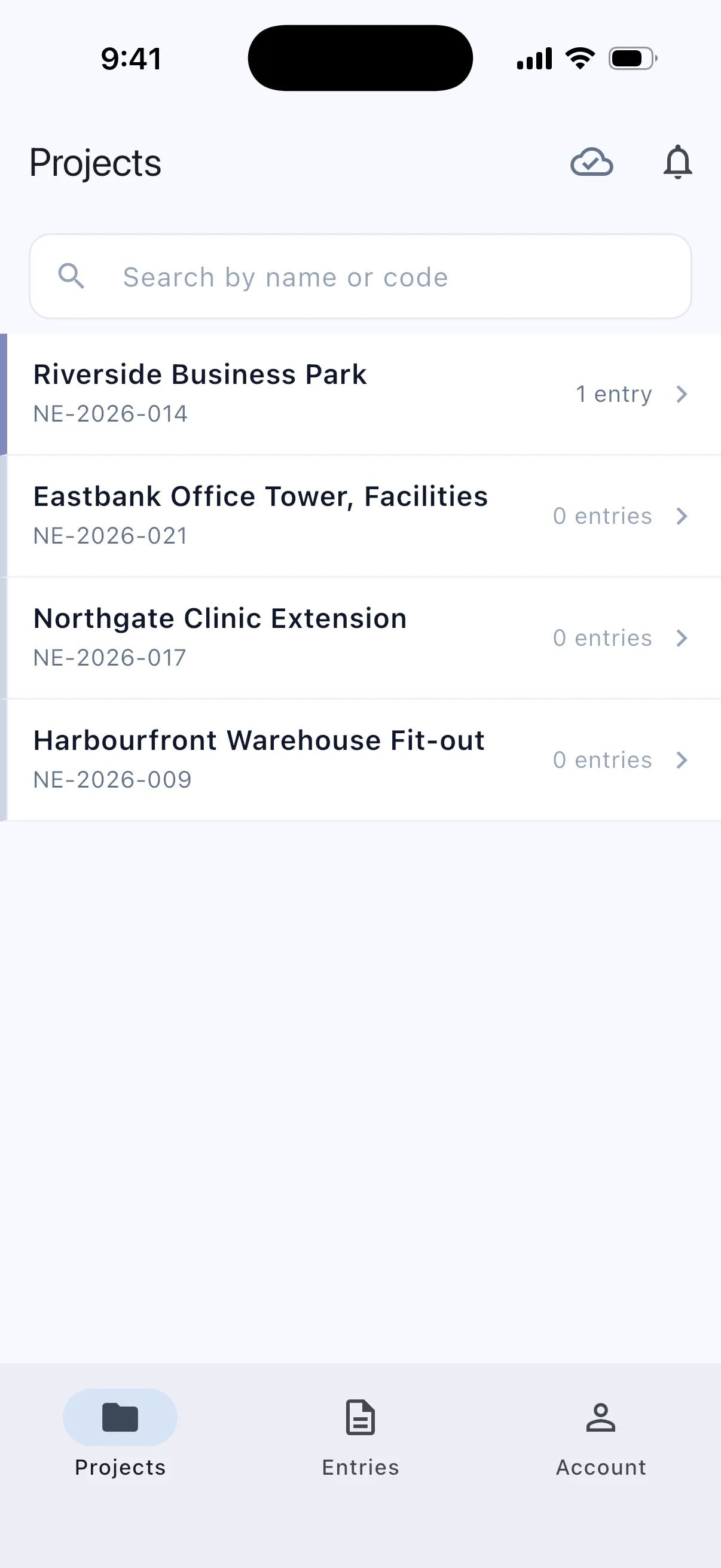
Records can be completed on the phone without a connection, held safely on-device, then synced when signal returns for office review.
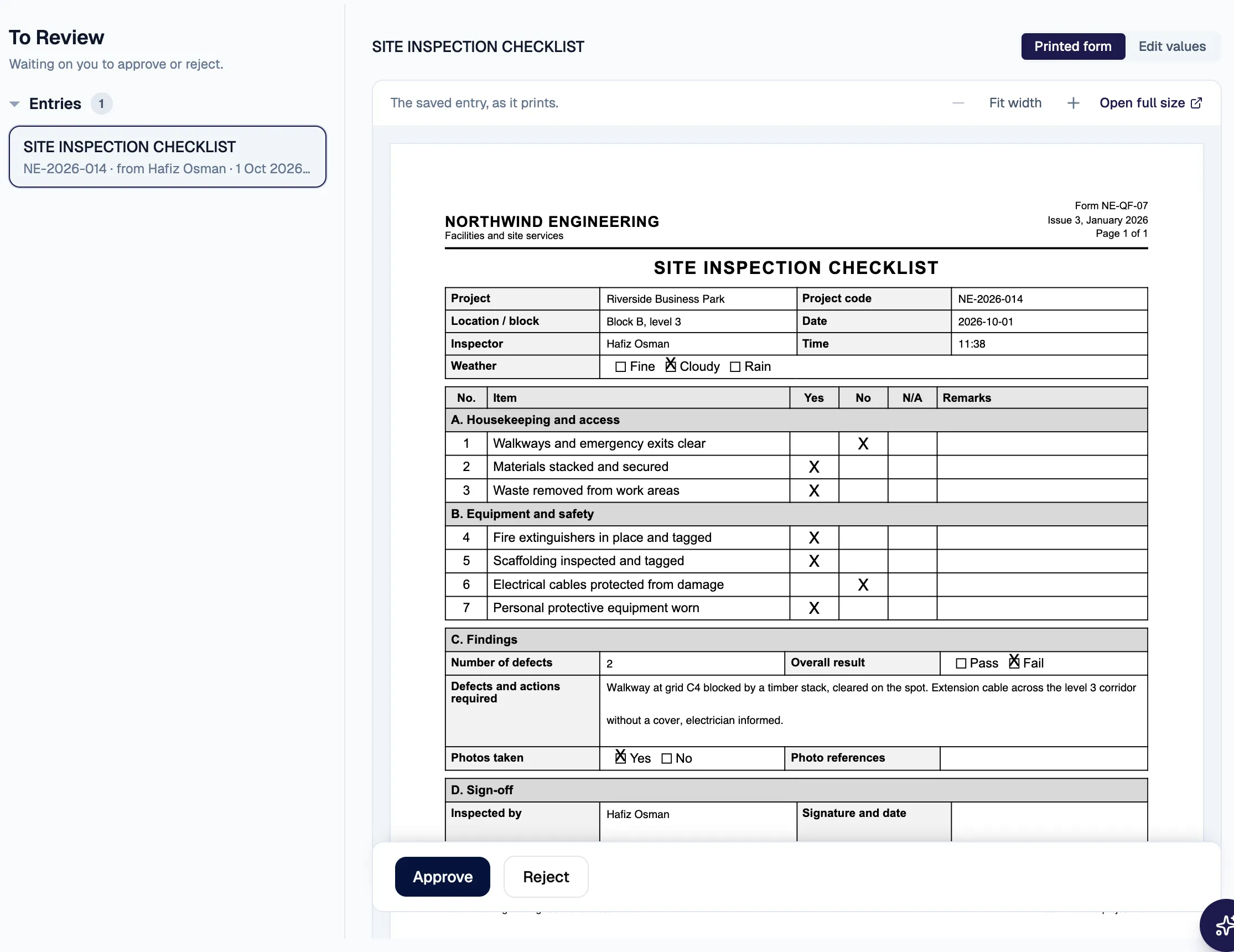
In the office, the synced record waits in the checker’s review queue, shown as its printed form.
On the phone with no signal: the project shows 1 pending, saved on the device.

In the checker’s queue · as its printed form

02Access changes by request

The system can propose. People stay in control.

A natural-language request can become a structured access-change proposal that shows who gains or loses access before anything changes.
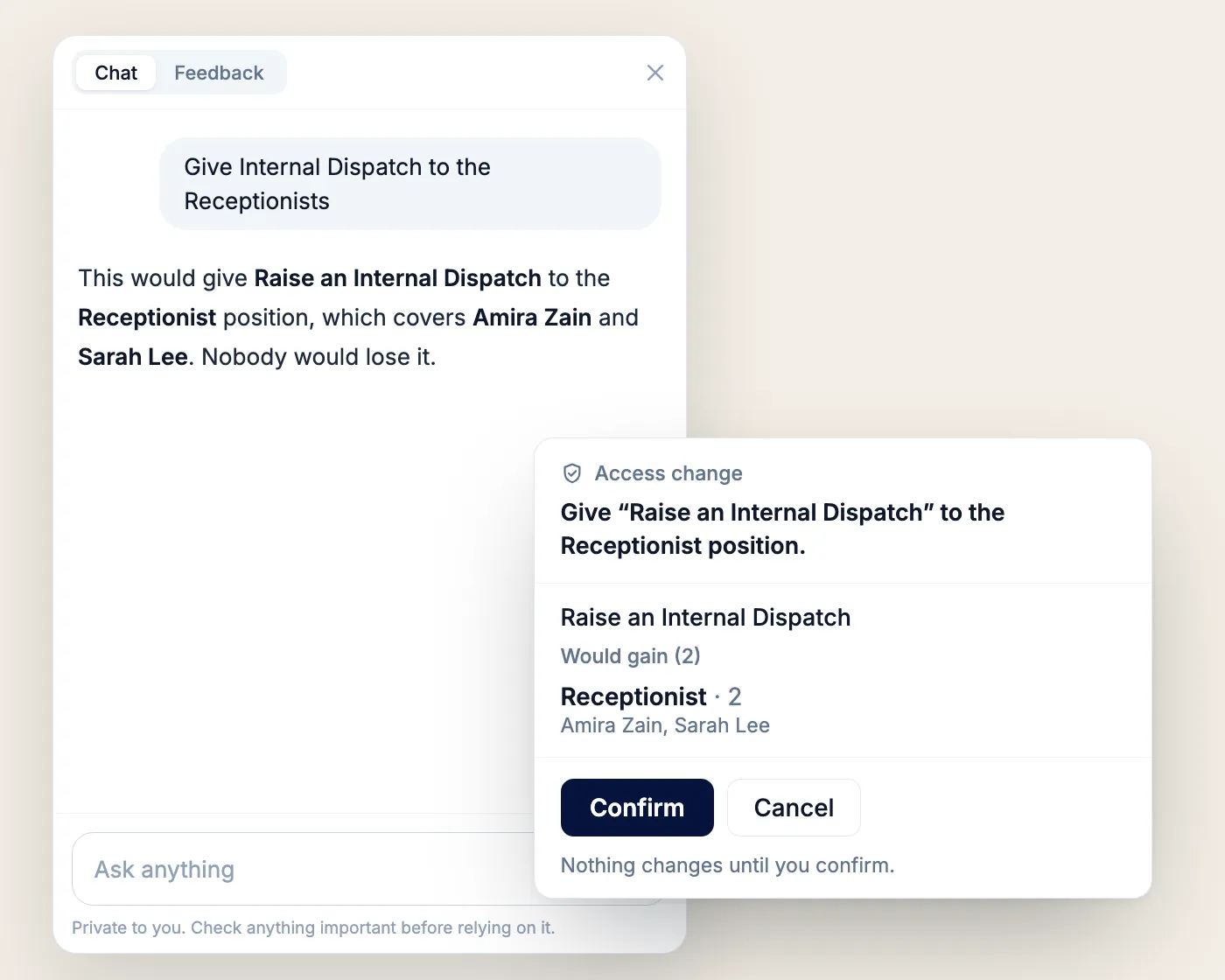
An access change proposed by the assistant, waiting for a person to confirm.
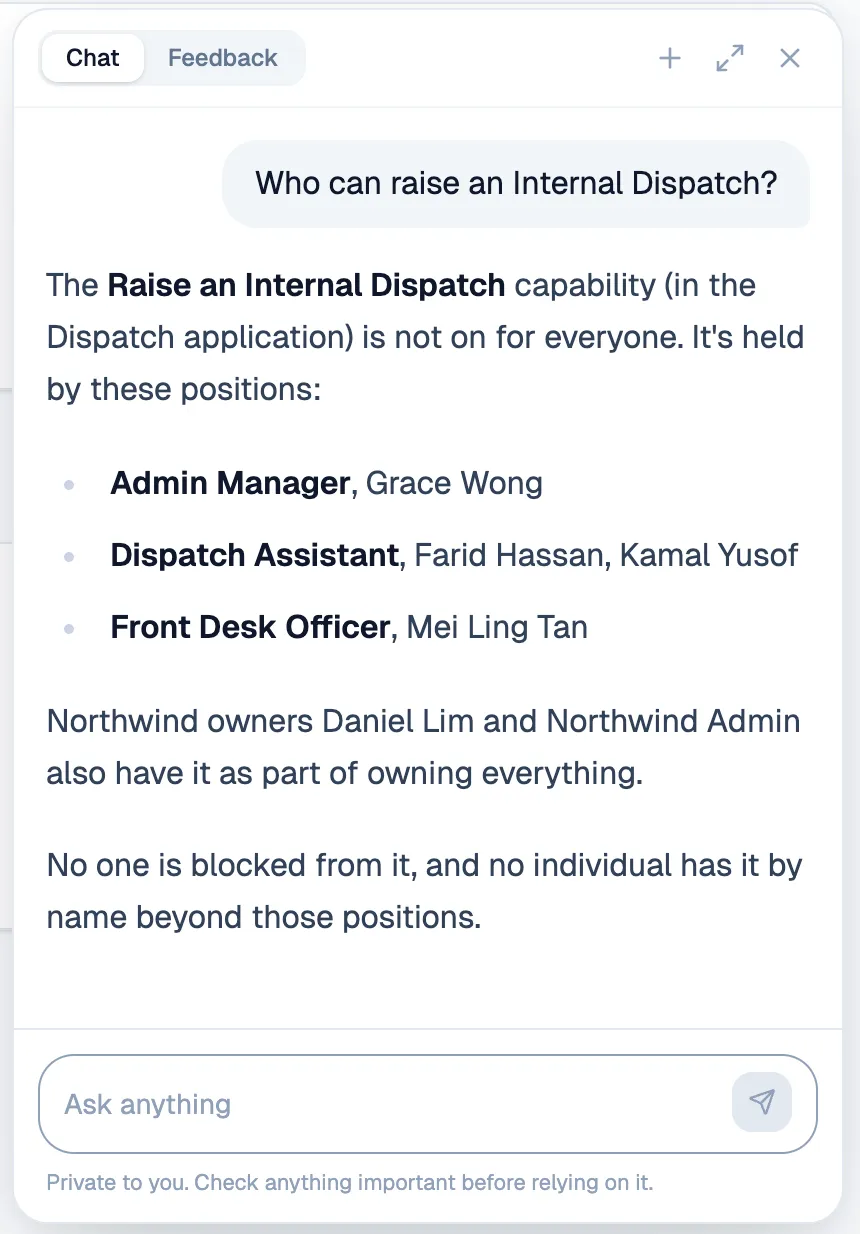
The assistant answers who can raise an Internal Dispatch from the access settings, turns a request into a proposal listing who would gain access, and the change applies only after a person presses Confirm. It then appears in the access history as made through the assistant.
  1. Request
  2. Proposal
  3. Confirmed by a person

03Approval rules

Rules can adapt to the decision.

Approval requirements can be generated from the request itself, so the right roles appear as the amount and purchase type change.

Example rules · Finance Manager from RM 3,001 · Senior Director from RM 10,001

  1. RM2,740

    Who this needs at RM 2,740.00

    No approvers resolved for this amount yet.

  2. RM9,240

    Who this needs at RM 9,240.00

    • Finance ManagerGrace Wong, Nora IsmailRequired
  3. RM18,900

    Who this needs at RM 18,900.00

    • Finance ManagerGrace Wong, Nora IsmailRequired
    • Senior DirectorArjun Pillai, Daniel LimRequired

Fictional amounts, approvers and example rules

What we build around your business.

Explore capabilities

  • Field and project workflows
  • Internal operations
  • Workflow-specific web applications
  • Mobile and offline-capable applications
A field app with no signal: work saved on the phone, one record pending.

  • Approvals and routing
  • Notifications and handoffs
  • Document generation
  • Audit history and status tracking
A parcel’s timeline from the gate: arrived, registered, dispatched, delivered, each with a time and a person.

  • Document understanding
  • Structured data extraction
  • Natural-language actions
  • Human-reviewed AI proposals
An existing paper form read by the system: each field mapped to its answer box on the page.

  • APIs and existing systems
  • Identity, roles and permissions
  • Data migration
  • Reporting and operational visibility
Before saving an access change: who loses access, who gains it and who keeps it.
A field app with no signal: work saved on the phone, one record pending.

Time to production

Keep the feedback loop short.

The faster working software reaches real users, the faster the system can improve around the way the business actually operates.

  1. Same day

    Five changes requested during a morning site walkthrough were live that evening.

  2. 7 days

    Purchase-to-pay workflow, from go-ahead to production.

  3. 7 build days

    Event and venue booking, built across web and phone.

  4. 1 week

    Company-wide assistant, from idea to first users.

Build time from commit history and project records · each line is a separate system

Close enough to understand the work.

The details that matter are often discovered in a conversation, a walkthrough or by watching the process happen. We work closely with client teams, meet face to face when it helps, and stay involved after the first release.

Based in Kuching. Working with businesses across Malaysia.

Build systems people actually use.

Small team. Real production systems. Direct responsibility. Work closely with the people using what you build, ship quickly and own meaningful parts of the product from problem to production.

Show us how your business works.

We’ll help you find what can be simpler, then build around what remains.

We reply within 48 hours.
WhatsApp
+60 17-783 8848 (opens in a new tab)
Email
hello@galavate.com
Based in
Kuching, Sarawak, Malaysia